Knowing how to clean TV screens safely is essential if you want to keep your display looking sharp without causing permanent damage. Modern televisions, especially LED, OLED, and QLED models, have delicate coatings that can scratch or discolor if the wrong materials or cleaning methods are used. This guide walks you through simple, safe steps to remove dust, fingerprints, and smudges while protecting your screen for years to come.
Why TV Screens Need Special Care
Older CRT televisions had glass screens that could handle almost any cleaning product. Today’s screens are built differently. They often include anti glare coatings and thin protective layers that react poorly to alcohol, ammonia, and other harsh chemicals.
Using the wrong cloth or spray can leave streaks, strip coatings, or cause cloudy patches that never go away. That is why understanding the right approach matters more than ever.
Common Mistakes People Make
Many people accidentally damage their screens by spraying cleaner directly onto the display, scrubbing too hard, or using paper towels that leave tiny scratches. Recognizing these habits is the first step toward better screen care.
What You Need Before You Start
Before cleaning your television, gather a few simple items. You do not need anything fancy, just the right tools used the correct way.
Microfiber Cloth
A soft microfiber cloth is the safest tool for wiping down any screen. It picks up dust and oil without scratching delicate surfaces.
Distilled Water
Tap water contains minerals that can leave spots on the screen once it dries. Distilled water is a safer choice for light cleaning.
A Mild Cleaning Solution
If dust and fingerprints do not come off with a dry cloth, a mixture of distilled water and a tiny amount of mild soap can help. Avoid anything containing alcohol, ammonia, or acetone.
Step by Step Guide to Cleaning Your TV Screen Safely

Following a careful process protects your television and keeps it looking new.
Turn Off and Unplug the TV
Always switch off your television before cleaning. A dark screen makes it easier to see dust, smudges, and streaks. It also protects you from electrical hazards and prevents damage from moisture reaching internal components.
Dust the Screen First
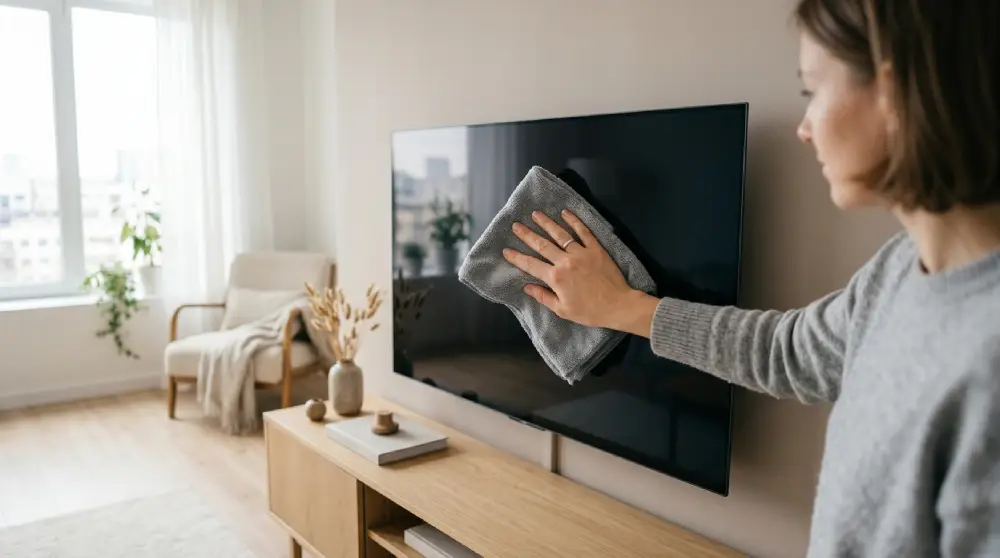
Use a dry microfiber cloth to gently wipe the screen in a circular motion. This removes loose dust and debris before introducing any liquid, which helps prevent scratching.
Dampen the Cloth, Not the Screen
Never spray liquid directly onto the television. Instead, lightly dampen a microfiber cloth with distilled water or a gentle screen cleaning solution. Wring out excess moisture so the cloth feels barely damp.
Wipe Gently in One Direction
Clean the screen using soft, straight strokes rather than aggressive scrubbing. Apply light pressure and avoid pressing down near the edges where damage is more likely to occur.
Dry With a Clean Cloth
Once you have wiped away smudges, use a separate dry microfiber cloth to remove any remaining moisture. This prevents streaking and helps the screen dry evenly.
Cleaning the TV Frame and Stand
The frame, edges, and stand of your television can also collect dust. These parts are usually more durable than the screen itself, so a slightly damp cloth is generally safe. Wipe gently and avoid letting moisture drip toward any vents or ports.
What to Avoid When Cleaning a TV Screen
Certain products and habits can permanently harm your display, so it helps to know what not to do.
Avoid Harsh Chemicals
Products containing alcohol, ammonia, or acetone can strip protective coatings and cause discoloration.
Avoid Paper Towels and Rough Fabrics
These materials may seem harmless but can leave micro scratches over time, especially on OLED and QLED screens.
Avoid Excessive Pressure
Pressing too hard can damage pixels, particularly on OLED displays where individual pixels are more delicate.
Avoid Spraying Liquid Directly on the Screen
Liquid can seep into the edges of the television and damage internal electronics.
How Often Should You Clean Your TV Screen
Light dusting once a week helps prevent buildup. A deeper clean with a damp cloth is usually only necessary once every few weeks, depending on how much dust accumulates in your home.
Tips for Keeping Your TV Screen Cleaner for Longer
Placing your television away from direct sources of dust, such as open windows or heating vents, can reduce how often it needs cleaning. Encouraging household members to avoid touching the screen also helps minimize fingerprints and smudges.
Conclusion
Cleaning your TV screen does not need to be complicated once you understand the right techniques. By using a soft microfiber cloth, avoiding harsh chemicals, and wiping gently, you can keep your screen looking clear and vibrant for years. Taking a few extra minutes to clean your television the right way protects your investment and ensures the best viewing experience possible.
FAQs
Can I use glass cleaner on my TV screen?
No. Most glass cleaners contain ammonia or alcohol, which can damage modern screen coatings. Stick to distilled water or a cleaner made specifically for electronics.
Is it safe to clean an OLED screen the same way as an LED screen?
Yes, the same gentle approach works for both, but OLED screens are more sensitive to pressure, so extra care should be taken while wiping.
What household items can I use to clean my TV screen?
A microfiber cloth lightly dampened with distilled water is the safest household option. Avoid vinegar, rubbing alcohol, and window cleaners.
Why does my TV screen get streaky after cleaning?
Streaks usually happen when too much liquid is used or when a rough cloth is applied. Using a barely damp microfiber cloth and drying immediately helps prevent this.
How do I remove fingerprints from a TV screen without damaging it?
Gently wipe the fingerprints with a dry microfiber cloth first. If they remain, use a cloth lightly dampened with distilled water and wipe softly in one direction.